
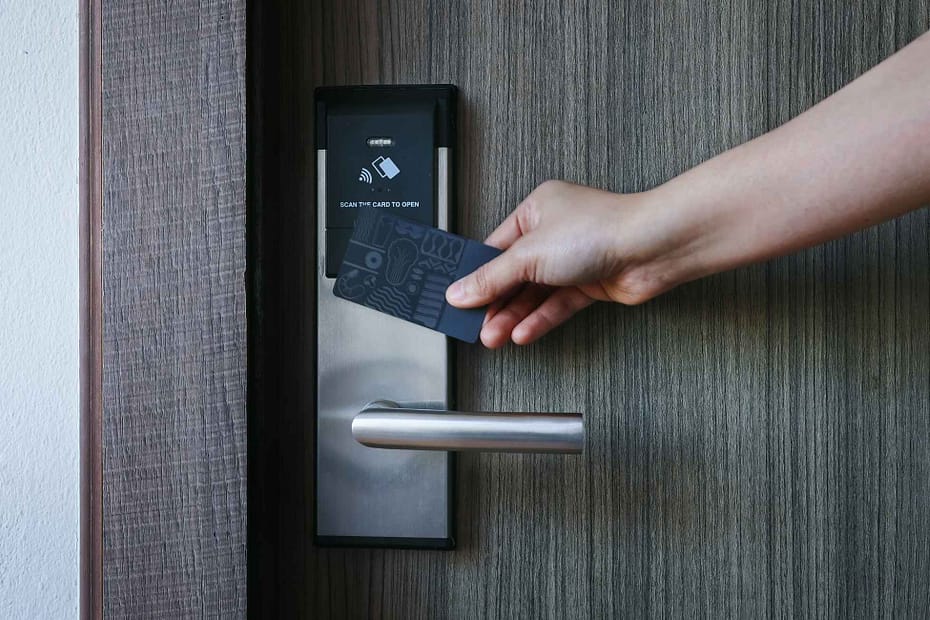
Your front door is more than an entry point. It serves as the first line of defense for your home. Homeowners today choose the best smart lock for front door protection for convenience, safety, and control. With a phone or fingerprint, you can lock, unlock, and monitor your door remotely. A good smart lock should offer durable construction, strong security, simple installation, and reliable performance.
At Madison Door, we help New Jersey homeowners improve security and curb appeal with modern door solutions. Our team specializes in custom doors, premium hardware, and technology-ready installations that combine style and function. Choosing the right smart lock can make your home safer and easier to manage. This guide explores top smart locks for front doors, key features to consider, and how to choose the best option.
Introduction to Smart Locks
Smart locks are revolutionizing home security by offering a blend of convenience, control, and advanced technology. Unlike traditional door hardware, a smart lock allows you to unlock your door using your phone, a keypad, or even a fingerprint. With a smart lock, you can manage access to your home from anywhere, granting entry to family, friends, or service providers through a secure app. Many smart locks also let you set up temporary codes or digital passes. This makes them ideal for both homeowners and renters. Whether you’re upgrading your existing door or installing a new lock, smart locks provide multiple ways to control and monitor who comes and goes, enhancing both your home security and your smart home experience.
What Makes a Great Front-Door Smart Lock?
A great smart lock combines strength, convenience, and compatibility. But not all models work equally well for a front door, especially one exposed to weather and frequent use. When evaluating options, consider these essential features that determine long-term performance:
Security and Build Quality
Choose locks with ANSI/BHMA Grade 1 or Grade 2 ratings. These ratings ensure that the hardware meets industry standards for durability and resistance against forced entry.
Connectivity
Look for locks that connect via Wi-Fi, Bluetooth, Z-Wave, or Matter. Wi-Fi models allow remote access through apps like the Yale Access or August Smart Lock apps, while Z-Wave and Matter versions integrate smoothly with wider smart-home systems. Some locks also offer extra features like automation, geofencing, or security triggers for enhanced convenience and security.
Ease of Installation
Retrofit designs attach to your existing deadbolt, while full-replacement locks require swapping out the entire mechanism. Retrofit models are ideal for quick upgrades, especially in older homes, and often follow the Yale approach. This allows you to maintain your existing keys and makes installation easy.
Battery Life and Backup Access
A reliable smart lock should last at least six months per battery cycle. Make sure there’s a mechanical key or emergency power port for backup.
Weather Resistance
For exposed front doors, pick locks rated for outdoor use (IP65 or higher) and temperature-tested for cold and humidity, critical in New Jersey’s changing seasons.
Top 5 Smart Locks for Front Doors in 2025
We’ve reviewed top-rated models from trusted lock brands like Yale, August, and Eufy. While there are many other locks on the market with different features and price points, the following models represent the best balance for most homeowners. Each lock below offers a balance of style, performance, and compatibility for your front door.
August Wi-Fi Smart Lock (4th Gen)
The August Wi-Fi Smart Lock is one of the best smart locks for front doors due to its compact, retrofit design and effortless installation. It fits over your existing deadbolt, allowing you to keep your original keys while adding smart features. With built-in Wi-Fi, it connects directly to your phone or voice assistants like Google Assistant, Amazon Alexa, and Apple HomeKit. The lock supports auto-lock and auto-unlock for hands-free convenience. This makes it a secure, family-friendly option, though its battery life is shorter than non-Wi-Fi models.
Level Bolt
The Level Bolt is ideal for homeowners who want smart security without changing their door’s appearance. Installed inside the door, it preserves your existing handle and exterior plate for a seamless look while adding digital convenience. Using the Level App, you can share keys, monitor access, and integrate with Apple Home, Alexa, or Ring systems. It offers a clean, elegant solution for premium entryways, though precise installation is required for proper alignment.
Ultraloq U-Bolt Pro Wi-Fi
The Ultraloq U-Bolt Pro Wi-Fi offers four entry options: a fingerprint scanner for quick fingerprint access, keypad touch functionality, a smartphone app, and a mechanical key. This is perfect for families who want flexibility. Its fingerprint scanner unlocks in under half a second and stores up to 120 prints, while features like auto-lock, temporary guest codes, and remote monitoring add extra convenience. Built from durable zinc alloy with an IP65 rating, it performs reliably outdoors year-round, though its keypad touch design is slightly bulkier than average.
Yale Assure Lock 2
The Yale Assure Lock 2 blends Yale’s trusted craftsmanship with advanced smart features for modern homes. Available in keypad and touchscreen versions, it integrates smoothly with Apple Home, Google Home, Amazon Alexa, and Samsung SmartThings. Using the Yale Access App, you can lock or unlock remotely, set schedules, and check your door’s status. It’s a reliable, feature-rich option from a respected lock brand, though some features require a separate Wi-Fi module.
Eufy Security Smart Lock Touch & Wi-Fi
The Eufy Smart Lock Touch & Wi-Fi combines fingerprint, keypad, and app control in a single, weatherproof design built for year-round use. With an IP65 rating, it withstands rain, heat, and humidity, ideal for New Jersey’s climate. It’s built-in Wi-Fi connects directly to your network without a hub, while the rechargeable battery lasts up to 12 months per charge. Featuring auto-lock and real-time app alerts, it’s a durable, all-in-one smart lock solution, though slightly heavier than average.
How to Choose the Right Smart Lock for Your Front Door
Choosing the best smart lock for your front door depends on your door type, smart-home setup, and lifestyle. At Madison Door, we help homeowners find locks that fit their doors perfectly and complement their design. Here’s a practical guide to simplify your decision.
- Check Door Compatibility: Measure your door thickness (typically 1 ¾ inches). Confirm that your deadbolt hole and backset align with standard smart-lock requirements.
- Match Your Smart-Home Ecosystem: If you use Google Home, Amazon Alexa, or Apple Home, choose a lock that integrates seamlessly so you can control everything from the same app or through voice commands.
- Decide on Retrofit vs Full Replacement: Retrofit locks attach to the inside of your door, keeping the existing deadbolt, ideal for renters. Full replacements provide a fresh look and often stronger security.
- Plan for Power and Access Backup: Choose locks with long battery life and alternate access options like a physical key or external power contact. Avoid being locked out when batteries die.
- Evaluate Weather Resistance: If your door faces direct sunlight or rain, look for IP-rated models designed for outdoor durability.
Budget and Cost
Smart locks come in a wide range of prices, making it possible to find an option that fits your budget and security needs. Basic smart locks typically start around $100 to $300, offering essential features like app control and keyless entry. If you’re looking for more advanced options such as Wi-Fi connectivity, fingerprint scanners, or integration with your smart home system, prices can rise to $500 or more. It’s important to consider not just the upfront cost, but also any additional expenses, such as required hubs or bridges for smart home connectivity. Many lock brands offer bundles or affordable models, so you can choose a smart lock that delivers the right balance of features, security, and value for your home.
Common Mistakes to Avoid When Installing a Smart Lock
Even top-rated smart locks can fail if installed poorly. Rushing installation or skipping calibration can cause malfunctions or battery drain. Take time to check door alignment, test manual operation, and complete software setup carefully. A few extra minutes during installation ensure smooth performance and long-term reliability.
Avoid mixing old hardware with new components since worn parts reduce dependability. Always replace outdated strike plates and screws. Complete the app setup so auto-lock and alerts work correctly. Use quality batteries, set replacement reminders, and test your key override regularly. Keep spare keys accessible but secure for emergencies.
Conclusion
Choosing the best smart lock for your front door comes down to balancing design, technology, and everyday reliability. Whether you prefer biometric access, smartphone control, or seamless integration with your smart-home system, today’s smart locks offer secure and stylish solutions for every homeowner.
At Madison Door, we help homeowners pair premium entry doors with modern hardware and smart-home technology. Our experts can recommend the right smart lock, ensure a perfect fit, and handle professional installation. Request a quote today or visit our showroom to explore the latest in door hardware and smart-lock solutions for your home.
FAQs
What is the best smart lock for the front door?
The best smart lock for the front door depends on your priorities, but the August Wi-Fi Smart Lock is often rated highest for convenience and compatibility. It fits over your existing deadbolt, allowing easy installation and app-based control from anywhere. It’s a great choice for homeowners who want smart features without replacing their entire lock system.
What is the most secure front door lock?
The most secure front door lock is one that meets ANSI/BHMA Grade 1 standards, which ensures top protection against forced entry. Models like the Yale Assure Lock 2 and Ultraloq U-Bolt Pro Wi-Fi combine high-grade construction with encryption for digital access. Always look for reinforced strike plates and two-factor app authentication for added safety.
Is a Z-Wave smart lock better than a WiFi?
A Z-Wave smart lock isn’t necessarily better than a Wi-Fi one. It depends on your smart-home setup. Z-Wave locks integrate well with full smart-home systems like SmartThings or Hubitat, offering stable connections and less battery drain. Wi-Fi locks, however, are easier to set up and control directly through apps without needing a separate hub.
What locks do police recommend?
Police often recommend Grade 1 deadbolts and keyless smart locks with physical key backups for maximum reliability. They favor models from reputable brands like Yale, Schlage, and Medeco due to their tested durability and tamper resistance. Police also advise homeowners to reinforce door frames and use strike plates with long screws to prevent kick-ins.